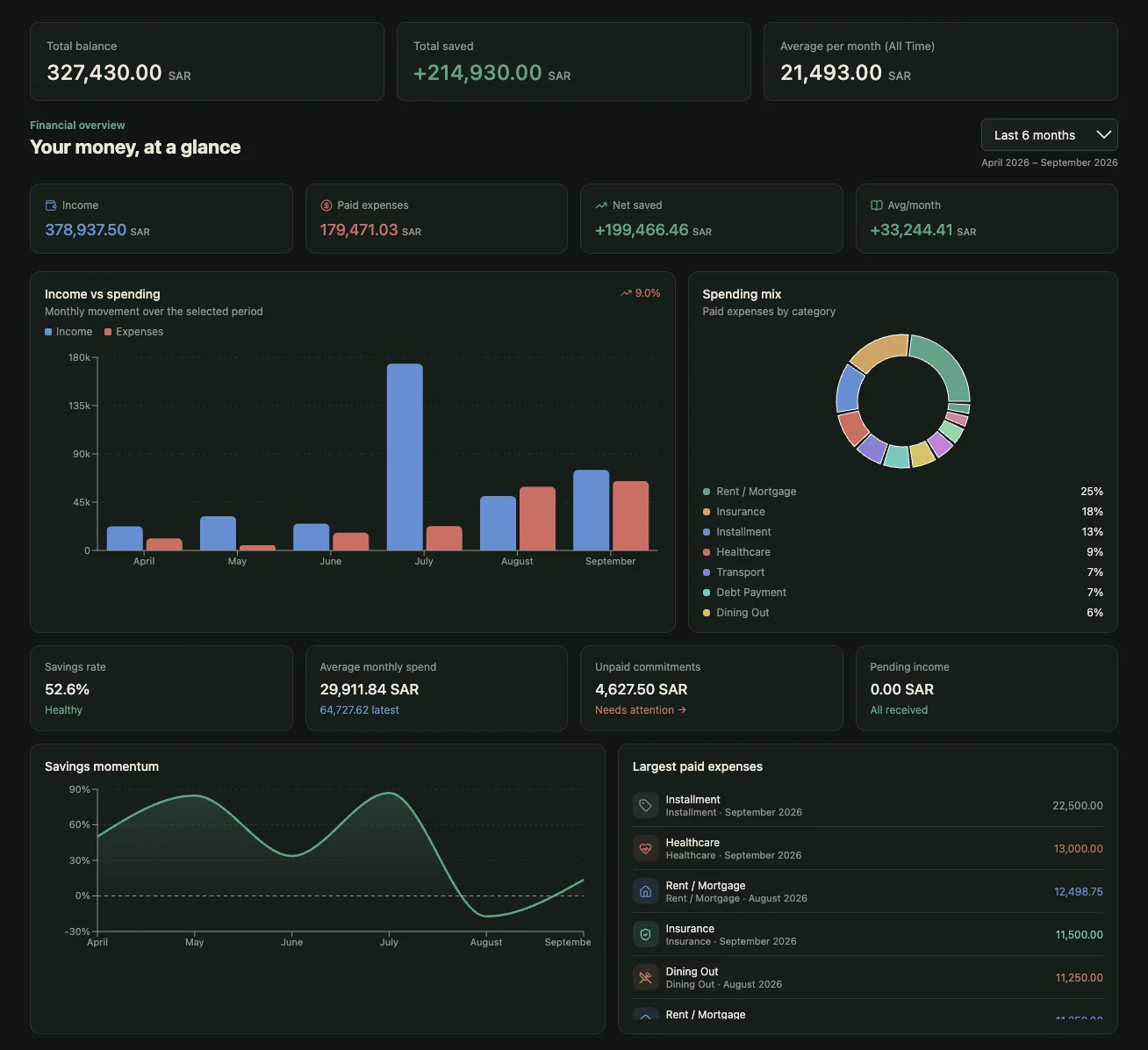
Your money, finally in one place
Log an expense from a chat message, photograph a receipt, ask where the money actually went — in English or Arabic. On the web, iPhone and Android.

AI that solves real problems.
Making AI Useful.
Zala develops practical AI software that helps individuals and organizations work smarter, automate tasks, make better decisions and solve real-world challenges.
Built for one person at a time.
The admin of an ordinary life costs hours nobody counts — money, paperwork, and keeping both safe. Each of these is a product you can name, not a category.
Zala Secure
AI-powered cybersecurity for people and organizations.
The fastest way to log an expense is not to open an app
Most expense trackers fail for the same reason: remembering to open them. Zala takes the entry where you already are — a chat message, a photo of the receipt, a voice note — and does the filing itself.
Log it from a chat
Send "45 aed lunch" on WhatsApp or Telegram. It lands in your ledger, categorised, without opening anything.
Photograph the receipt
Total, merchant, currency and category read back in a couple of seconds. Correct it once and it remembers.
Works in Arabic
Not a translated menu — Arabic input, Arabic receipts, Arabic answers, right to left throughout.
Zala Savings Pricing
Simple, transparent pricing for AI-powered personal finance.
Try Zala Savings free for 14 days. No payment required to start.
No credit card required.
- Full access to Zala Savings
- Core AI-powered insights and automation
- Monthly AI usage included (trial limit)
- Secure, private by design
Monthly
Billed monthly. Cancel anytime.
- Unlimited access to Zala Savings
- Full AI-powered insights and automation
- Higher monthly AI usage limits
- Priority access to new AI features
- Secure, private by design
Annual
Most PopularBilled annually.
Best Value — Save 17%
- Unlimited access to Zala Savings
- Full AI-powered insights and automation
- Higher monthly AI usage limits
- Priority access to new AI features
- Secure, private by design
- Secure payments
- Cancel anytime
- Available worldwide
- Email support included
Need more AI usage?
Zala Plus subscribers can buy a self-serve quota top-up any time they run out mid-month. For enterprise deployments or a custom package, talk to sales.
Frequently asked questions
Can't find what you're looking for? Reach out on our Support page.
Live today on web, iPhone, Android, Telegram and WhatsApp.
What is Zala Savings?
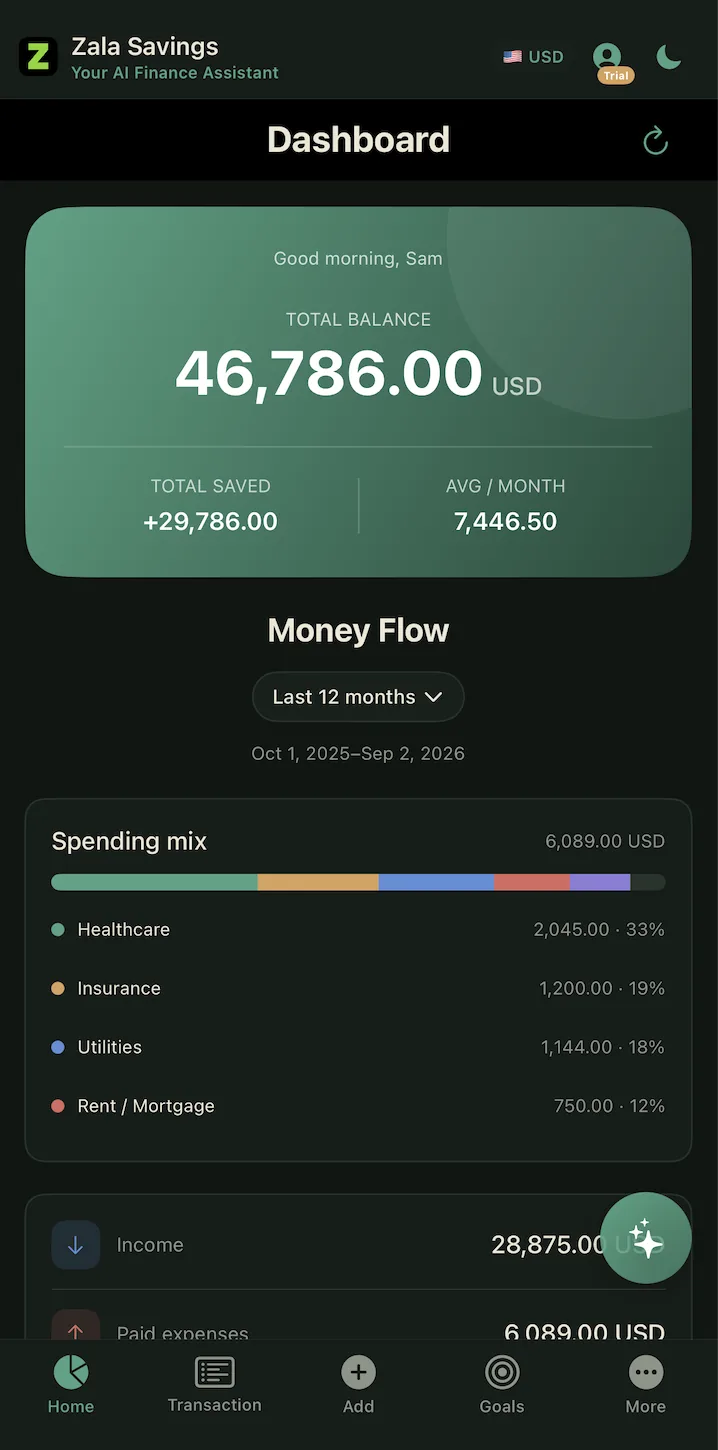
An AI-powered personal finance app. Log expenses and income by typing, photographing a receipt, or sending a voice note — from the app, from Telegram or from WhatsApp — and your budget, goals and reports stay up to date on their own.
What platforms can I use it on?
Web, iPhone and Android, all available today. You can also use it entirely through Telegram or WhatsApp without installing anything, and everything stays in sync across all of them.
Is there a free trial?
Yes — every new account gets 30 days of full access, no credit card required.
What happens after my trial ends?
Subscribe to keep full access, or stay on the free tier with reduced monthly limits. Nothing is charged unless you choose to subscribe.
How much does it cost?
Zala Plus is $7.99/month, or $6.67/month billed annually — a 17% saving. Full details are in the Pricing section above.
What if I run out of AI usage mid-month?
Plus subscribers can buy a one-time top-up without waiting for the next billing cycle. It adds roughly 50% more receipt scans, AI questions, voice notes and WhatsApp messages for the rest of the month, and anything unused carries into the next one.
Do you connect to my bank?
No. Zala Savings never asks for your bank login, card number or IBAN, and has no way to move money. You decide what gets recorded, which means the worst case here is nothing like the worst case for an app holding your banking credentials.
Can I get my data out, or delete it?
Yes to both. Export reports as PDF any time, and delete your account from Settings — that removes your ledger, your receipt images and your Telegram and WhatsApp links.
In development. Everything below is how it is built today.
What is Zala Life?
Your paperwork already contains every date you are going to regret missing. Zala Life reads each document as it arrives, pulls out the dates, amounts and obligations buried in it, puts them on one timeline, and reminds you while there is still time to act.
How do documents get in?
Three ways: upload them, forward them to your own Zala email address, or import them from Google Drive. An imported file behaves exactly like one you uploaded.
Which companies ever see my documents?
Three, each for one purpose, each named rather than described as “our providers”, and each a permission you grant or withdraw separately in Settings. Mistral AI, in France, reads scans and photographs where the text is only an image. Google reads the text in Milan to find the dates, amounts and obligations. Amazon Web Services in Frankfurt stores everything and sends your reminders.
Are my documents used to train AI models?
No. Zero data retention is enabled on the Mistral account, so the file and its text are not stored or logged beyond producing the result, and training on it is switched off. Google normally allows prompts to be retained for up to 90 days where abuse monitoring is triggered; we asked to be excepted and were granted it, so your documents are not retained and no Google employee reviews them.
What happens to my passport and ID documents?
They are never read at all. Passports, national identity cards, residence permits and driving licences are held back from reading entirely — and the check is on the words inside the document, not on which folder you filed it in. They are stored and left alone. An identity document rarely carries a deadline, so there is little to gain by reading one and a great deal to lose.
Where is my data stored?
In our own Amazon Web Services account in Frankfurt, Germany. Documents are encrypted with keys we control and stored so they cannot be silently altered, and every account is separated at the database level — one account cannot reach another’s documents even if our own code asks for it.
What does connecting Google Drive actually give you access to?
Only the individual files you pick yourself in Google’s own file chooser. Zala cannot list, search or browse your Drive. The file travels from Google to your browser and then into your storage; the access token stays in your browser and never reaches our servers, so there is nothing for us to keep or lose.
Can I see what was done with a document?
Yes. Every action on a document is written to an append-only record, which is how we can tell you exactly what was read, when, and by which model — rather than asking you to take our word for it.
How long are documents kept?
Until you delete them. Deleting moves a document to Trash for 30 days, where you can still restore it. A document emailed to your Zala address is taken out of the message, and the message itself is discarded within seven days.
Does it share anything with Zala Savings?
No. The two products do not share documents, and a request to read one carries the document itself — not your name, your email or your account.
When can I use it?
Zala Life is still in development. Use “Keep me posted” anywhere on this page and we will tell you when it opens up.
In pilot on the web, Telegram, email, Android and iPhone.
What is Zala Secure?
A second opinion before you click, pay or reply. Send it a message, link, screenshot, voice note, invoice, QR code or phone number you are unsure about, and it tells you what it found, what that means and what to do next. It also remembers who you normally deal with, so it can show you when something important changes — like a supplier’s invoice arriving with a new bank account.
How do I check something?
Paste it into the web app at secure.zala-me.com/app, send it to @zala_secure_bot on Telegram, forward a suspicious email to check@zala-me.com from the address on your account, or share it to the Zala Secure app from WhatsApp, Messages or any other app on your phone.
Will it tell me something is safe?
No, never. Zala Secure says what it found: clear signs of a scam, warning signs, or no warning signs. No warning signs is not the same as safe — a new scam is not on any list yet. If a message asks for money, a code or a password, check another way: the organisation’s own app, or a number you already have.
Does it keep the messages I check?
No. A message is checked and then discarded. Card numbers and codes are removed, and phone and account numbers replaced with one-way codes, before any AI model sees it. What is kept is the verdict — the result and which checks fired — never the message itself.
Where is my data processed?
In the European Union: the service runs in Frankfurt, Germany, and messages are read by Google’s Vertex AI in the Netherlands. The exceptions are named in the Zala Secure privacy policy (zala-me.com/privacy) — website sign-in and email replies in the United States, and breach lookups at Have I Been Pwned.
What can the phone app see?
On Android, a great deal: which apps can control your screen, read your text messages or notifications, act as device administrator or install other apps — and it can warn you when an app gains one of those permissions. The list of your apps never leaves the phone. Apple does not let apps see other apps, so on iPhone the checkup reads what it can and walks you through the rest, with an offline filter for texts from unknown senders.
Can my family be told when I am targeted?
Only with your agreement. You accept an invitation from a relative, and after that they are told when something you check comes back high risk — never what it was. Either of you can end it at any time.
What is the Security Inbox?
One list for sign-in alerts, password and recovery changes, new bank beneficiaries and SIM changes, each with one question: was this you? A security setting changing is not necessarily an attack. Fake security alerts are among the most common scams, so an email only counts as confirmed when it passes the sending service’s own authentication. Zala keeps the event, never the message.
I already clicked, paid or shared a code. What now?
If you shared a code or card details, or paid, call your bank now on the number on your card and ask them to freeze the card and try to recall the transfer. Zala Secure then walks you through recovering the account, step by step. It cannot get money back — and anyone who contacts you offering to recover it for a fee is almost always the same scam again.
Who can use it, and does it cost anything?
Zala Secure is in pilot and free to use during the pilot, within daily limits. It is available to anyone 16 or older, except people who live in the European Union, the European Economic Area, the United Kingdom or Switzerland.
How do I delete everything?
Send /forget to the bot, or use “Remove everything I’ve shared” in the app. For anything else — your account, your verdict history, your Trust Book — email info@zala-me.com from the address you signed in with, and we will delete it within one month.
About Zala, and how to reach us.
What is Zala?
An AI software company building practical, secure AI products for individuals and organizations. Zala Savings is our first product. Zala Secure (a second opinion on scams and account security) is in pilot, and Zala Life (paperwork read and put on a timeline) is in development.
How do I contact support?
Email support@zala-me.com any time, or visit our Support page. We reply within one business day.
Where can I find your Privacy Policy and Terms of Service?
Both are linked in the footer of this site, and from our Support page. Zala Savings and Zala Life each have their own privacy policy, because they are built differently and hold different things. Zala Secure has its own too, on the same Privacy and Terms pages.
Ready to experience practical AI?
Explore the Zala products making AI genuinely useful for people, businesses and security teams.
Explore Products